Posts Tagged software
Why your web app won’t work
Posted by Howard Yeend in Philosophy, web on May 16, 2011
Your idea is a (tick all that apply):
[ ] Social
[ ] Discovery
[ ] Cookery
[ ] Video
[ ] Gaming
[ ] Music
[ ] Shopping
[ ] Business
[ ] Technical
tool which makes peoples lives easier by:
[ ] Giving them things for free that they used to pay for.
[ ] Showing them interesting things in their local area.
[ ] Allowing them to do things anywhere that they used to have to do at home on a PC.
[ ] Allowing easy access to relevant information about what’s in front of them.
[ ] Suggesting things they can do or make which they wouldn’t have thought of otherwise.
[ ] Suggesting new content based on the content they or their friends consume.
[ ] Giving them discounts when they buy via your app.
[ ] Making tasks take minutes that used to take hours.
[ ] Creating a new way of sharing things with their friends.
It won’t work because: Read the rest of this entry »
Ten Ideas
Posted by Howard Yeend in Philosophy, web on October 18, 2010
Being a hacker is all about the open sharing of ideas. So why do I keep my list of ‘projects in development’ so close to my chest? Inspired by tales of R&D departments with security measures the military would weep at? Enchanted by the notion that my ideas are worth millions, I just need to unleash them, then sit back and watch the cash roll in? Yeah, that’s pretty much it!
Yep, until very recently I was an idea hoarder. But inspired by Jacques Mattheij’s recent outpouring of his ideas, I’ve changed my attitude. I’m in good company – the folks at ycombinator have shared their list of “ideas we want to fund“, the people at halfbakery.com have an entire social ecosystem based around sharing ideas, and the Six Month MBA team have listed a whopping 999 business ideas for anyone to pick up and use.
Why share my ideas? Ideas are often said to be worthless until implemented. I’d objected to that sentiment in the past, being a big ideas person. But now I can see there’s truth in it – a bad idea implemented excellently will trump a good idea implemented poorly, and as Paul Graham says: “imaginative people will take (the ideas) in directions we didn’t anticipate”, and “No matter what your idea, there’s someone else out there working on the same thing”. Sharing something multiplies its value.
I encourage you to share your ideas with the community too, because:
- Someone’s probably already thought of it anyway – no need to keep it secret
- You haven’t done anything with it yet – so maybe you’re not the right person to bring it forward
- Inspiring others benefits everyone- let’s talk about these ideas, and create new ones
- You’re not as clever as you’d like to think – others can see problems and opportunities that you can’t
- Sharing ideas can kickstart the product – if everyone says “wow I like this”, then you know what to do
So without further ado, ten ideas I’m thinking about:
Read the rest of this entry »
Textpad PHP manual lookup tool
Posted by Howard Yeend in PHP, Productivity on February 1, 2010
A little tip for those of us using textpad to develop in PHP. How often do you find yourself having to go back to PHP.net to check up on a function – is it ($needle, $haystack) or ($haystack, $needle)? I can never remember! With this tool I just need to highlight the function in textpad, press Ctrl-1 and up pops php.net in a new tab, opened on that function’s manual entry. Neat huh?
Here’s how:
Backup your files in the cloud with Dropbox
Posted by Howard Yeend in Productivity, Programs, web on May 29, 2009
 How does 2 gig of free online storage sound? Well you can with this really sweet application! I’ve been using it for 6 months and it’s just great to be able to “set it and forget”; once a file is in my dropbox I know I can blow up my PC and still have full backups. That’s a good feelin’ :0)
Google Images Link Improver WordPress Plugin
Posted by Howard Yeend in PHP, Wordpress on May 1, 2009
Google Images Link Improver improves the way visitors find your site by redirecting hits from google images to more relevant content on your blog.
Here’s an example of how it works on an actual for “earthrise”. The user clicks the following images result: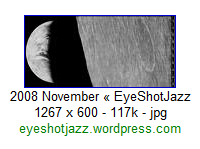
… and here’s how the clickthrough page looks:
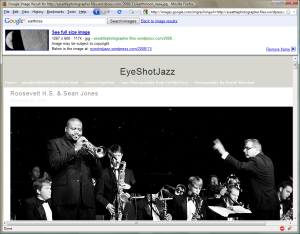 Before Plugin Installation |
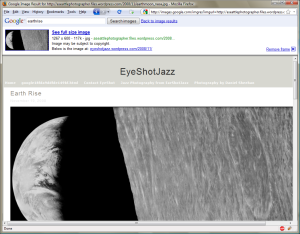 After Plugin Installation |
free PHP CAPTCHA v1.4.1
Posted by Howard Yeend in CAPTCHA on April 6, 2005

freeCap is a GPL CAPTCHA script to stop spam. It was written as a proof-of-concept at a time when there were really no other good PHP captcha scripts around (2005). For a long time I think it’s not untrue to say freeCap was the best PHP CAPTCHA there was.
To be perfectly honest, these days I would recommend you try reCAPTCHA first. freeCap does still do the job perfectly well, but the reCAPTCHA guys can provide better support than I.
Still, freeCap might be the solution for you if you want to be able to have more control over how the CAPTCHA works and is displayed. There are a whole load of tweakable options: multiple GD fonts, colours, backgrounds, obfuscation options etc. And the code is pretty good too if you’re just interested in PHP image processing. Still interested? Read on!
-
Save & Follow


-
Promote JS

Recent Comments